How to Hide Likes on Instagram in 2025: The Complete Guide
Why you might want to, how to do it in minutes, and whether it affects your performance.
Why Hiding Likes on Instagram Matters in 2025
Visible “like” counts on social media have become more than just a vanity metric — they’re a social-pressure sign, a popularity badge, and for many users a source of anxiety. In a global survey from 2021, 36% of Gen Z and 30% of Millennials said that social media usage negatively affected their well-being.
By 2025, the conversation around mental health and digital well-being has only grown: platforms such as Instagram (owned by Meta Platforms) now explicitly offer controls to hide like counts.
According to recent analyses, in 2025 likes are no longer the primary public signal of engagement — they’ve been de-emphasized in favor of saves, shares, comments and watch time.
Supercharge Your Instagram Growth
Promote your Instagram with AI-powered tools that refine your strategy, accelerate discovery, and convert views into fans
Buy Instagram Followers
Here are key reasons to consider hiding likes on Instagram:
- Less social comparison and less anxiety. When all posts display like numbers, it becomes very easy to compare yourself: “Why did they receive 10K likes and I only got 500?” Hiding the number removes a visible score so you can focus on content instead of validation.
- Promote authenticity. Without the visible like tally, you may feel more free to share what you genuinely want rather than what you think will “get likes.” Both users and brands are beginning to treat metrics other than likes (saves, shares, comments) as more valuable.
- Shift emphasis to meaningful engagement. In 2025, the Instagram algorithm prioritizes time spent on a post, shares, saves and comments — not just likes. Hiding likes can help re-align both your mindset and your audience’s mindset toward these deeper actions.
- Protect your brand or personal mental health. For personal users, hiding likes may reduce pressure. For brands, concealing likes can signal that you care less about vanity metrics and more about real interaction. However, there are situations where keeping likes visible still makes sense (see below).
How to Hide Likes on Instagram: Step-by-Step
Here’s how you hide likes on Instagram (posts, Reels, and other people’s posts). These steps apply to the latest 2025 version of the app on both iOS and Android.
A. Hide Likes Before Publishing Your Own Post or Reel
- In the Instagram app, tap the + icon to create a new post (photo, carousel, video) or a new Reel.
- Edit your media and add a caption, tags, etc.
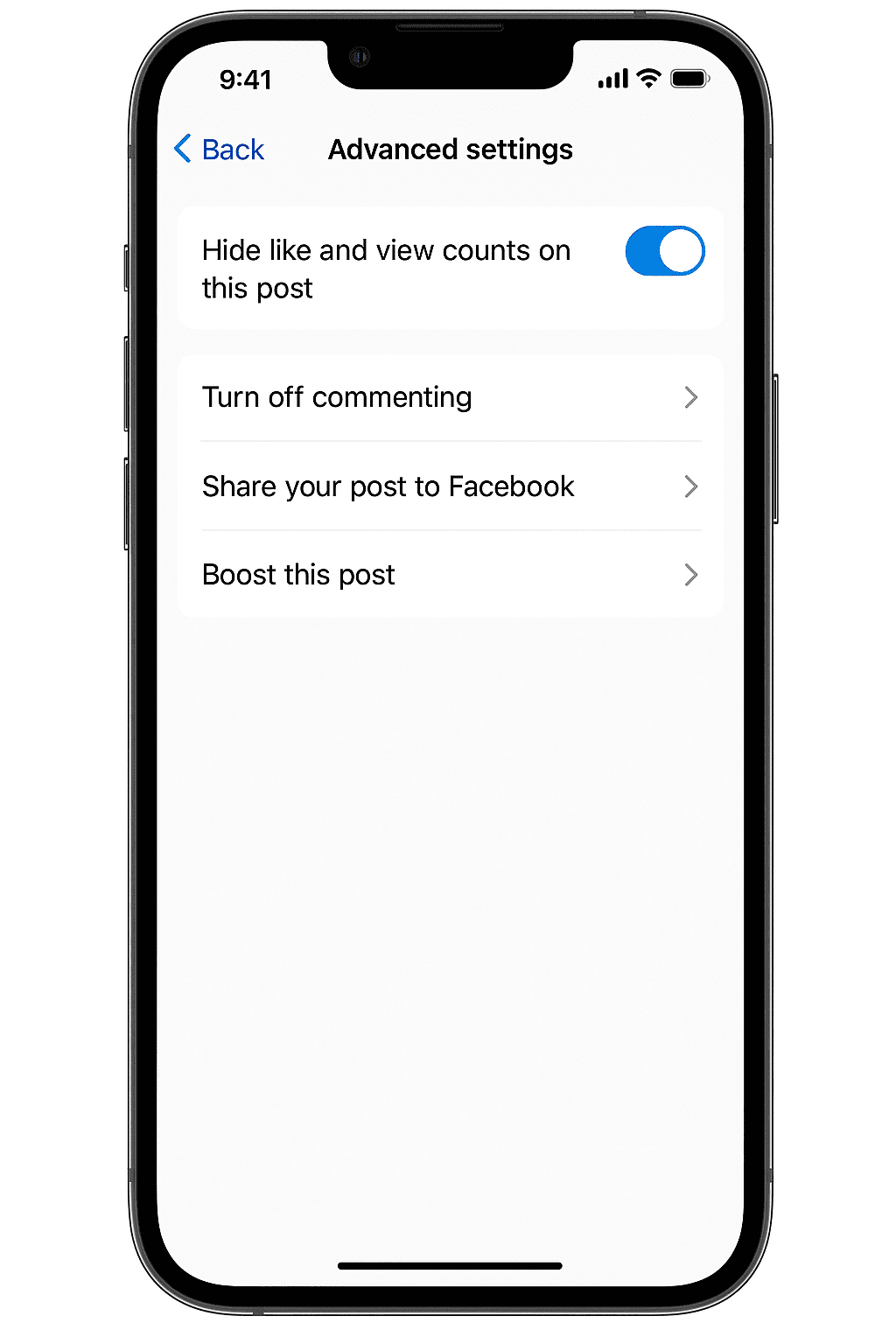
- On the screen where you set your caption, scroll down and look for Advanced settings (usually near the bottom).
- In Advanced settings, find Hide like and view counts on this post (or for a Reel: “Hide like count on this Reel”) and toggle it ON.
- Publish the post. The like count will not display publicly; people will still be able to like it, but the total number will be hidden from view.
B. Hide Likes on a Post or Reel You’ve Already Published
- Go to your Instagram profile and locate the post or Reel in question.
- Tap the three-dot menu (⋯) at the top right of the post.
- Select Hide like count. The change is immediate. (If you later want to un-hide it, use the same menu and select Unhide like count.)
C. Hide Like Counts on Others’ Posts (in Your Feed)
If you prefer not to see like counts on posts by other users:
- Go to your profile, tap the three horizontal lines (≡), then open Settings & privacy.
- Tap What you see (or Posts, depending on your version).
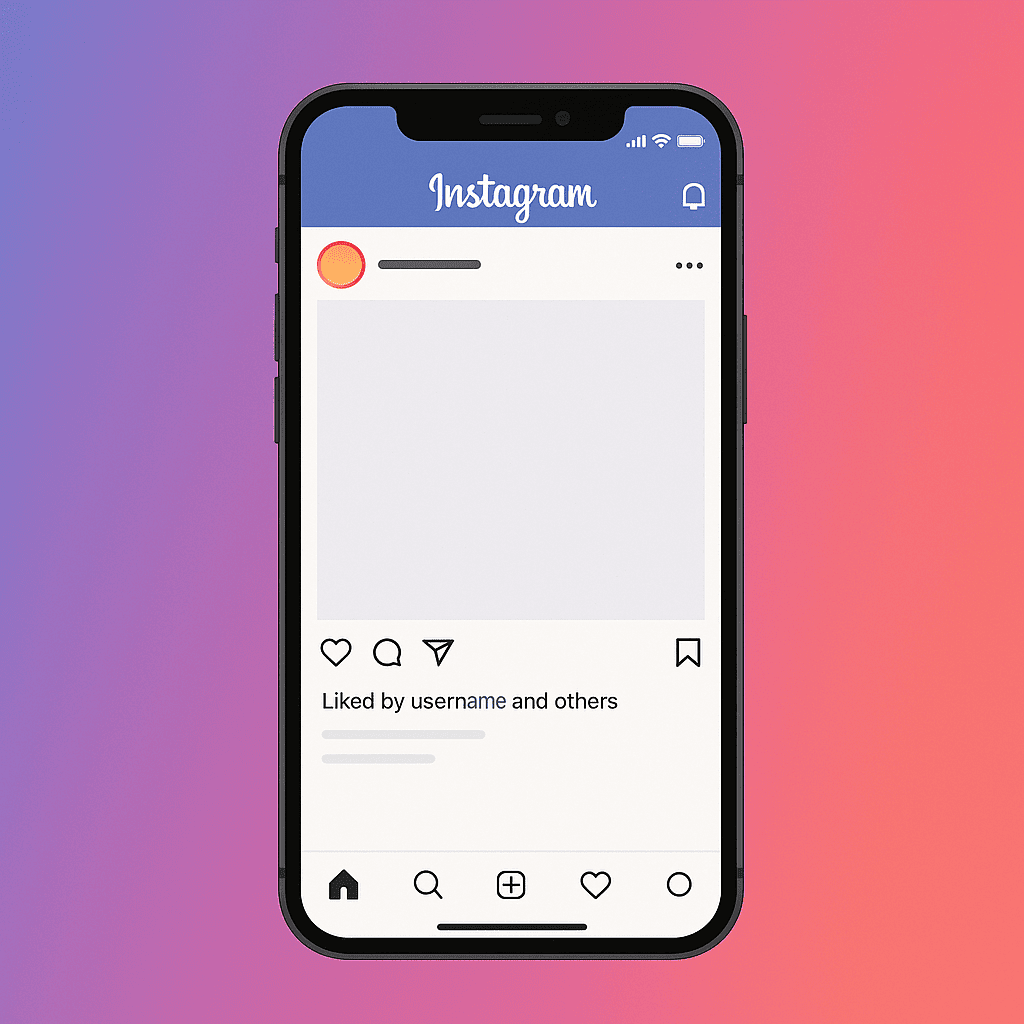
- Find Hide like & share counts (or similar wording) and toggle it ON. From now on, when you scroll your feed, posts will show “Liked by [username] and others” instead of actual numbers.
Note: This toggle affects your view only. Other people will still see counts unless they also choose to hide them.
D. How to View Your Hidden Like Counts
Just because you hide the public number doesn’t mean the data is gone:
- On your own post or Reel, tap ⋯ → Insights to see likes, reach, saves, etc. (This requires a Professional account.)
- Alternatively, tap the text “Liked by [username] and others” below your post. You’ll see a list of people who liked it — and the total number will be visible to you (though not always to everyone).
Will It Be Negative to Hide Likes on Instagram?
Short answer: No. Hiding likes does not prevent Instagram from tracking likes in the background — the algorithm still recognizes them.
However, the full picture has some nuances:
What It Won’t Do
- It will not automatically decrease reach or visibility. Instagram still uses like data as one of many engagement signals.
- It will not stop people from liking your posts. They can still tap the heart icon; the number is simply hidden from the public.
What It Might Influence
- Social proof for creators and brands. If you’re a creator or brand whose business depends on visible metrics and social proof (partnerships, sponsorships, influencer deals), hiding like counts may make your profile appear “lighter” at first glance. Some partners still validate performance by like count.
- Possible engagement changes. Anecdotally, some early tests by Instagram suggested that in markets where likes were hidden for everyone, engagement dropped for certain influencers (around 30% in some cases). This is not a strict rule, but it’s something to keep in mind.
- User perception. Some viewers may interpret a hidden like count as a sign that a creator is underperforming, even though this is perception rather than an algorithmic penalty.
Best Practice
If you use Instagram for business or as an influencer, consider whether visible social proof (public like counts) is important to your audience and partners. If you care more about content quality, creative freedom and mental health, hiding likes can be a very reasonable option.
When It Makes Sense to Hide Likes (and When It Doesn’t)
The following scenarios can help you decide whether to conceal like counts.
Good Times to Hide Likes
- You are publishing personal or experimental content and don’t want to stress over public validation.
- You (or your brand) want to signal authenticity and focus on more meaningful interactions (comments, shares, saves) rather than raw numbers.
- Visible like counts cause anxiety for you or your audience.
- You want to encourage your audience to engage in more genuine ways (comment, save, share) instead of just double-tapping.
>>>Don’t miss: How to Buy TikTok Coins
Times You May Want to Keep Like Counts Visible
- You are a creator or influencer whose brand or monetization relies in part on visible metrics and social proof.
- You are running a campaign where the number of likes is part of the public value proposition.
- You are publishing content that benefits from strong social proof (“this many people liked this”) such as product launches or testimonials.
- You believe your audience might interpret hidden counts negatively and assume low engagement.
>>>Don’t miss: How to Protect Your Instagram Account from Hackers
Additional Insights & 2025 Trends
- A 2025 review suggests that Instagram now treats likes as one of the weakest public engagement signals. Shares and saves are weighted more heavily in the feed-ranking algorithm.
- As of April 2025, the Instagram algorithm prioritizes three major ranking variables: relationship (interaction history), interest (user behavior) and relevancy (timeliness and topical fit). Likes are only a small part of that mix.
- The hide-like feature was initially tested in 2019 and later rolled out more widely. This global optional implementation shows that Instagram recognizes mental health concerns and social comparison pressures.
- For brands and creators, this trend shifts the focus from “How many likes did I get?” to “How many saves, shares, comments and meaningful actions did I generate?” Hidden likes can support that mindset shift.
- Marketer feedback on Reddit has been mixed: some users feel that hiding likes reduces engagement, while others appreciate the reduced pressure.
Frequently Asked Questions (FAQ)
Q: Is it possible to hide likes and view counts on a Reel?
A: Yes. Before sharing a Reel, go to Advanced settings and enable Hide like and view counts on this post. After publishing, you can also hide it via the three-dot menu on the Reel.
>>>Don’t miss: Buy Instagram Accounts
Q: Can I hide like counts from other people but still see them on my content?
A: Yes. Turn on the “Hide like & share counts” toggle in Settings → What you see. This hides counts only when you view other users’ posts. Your own posts’ like counts (unless individually hidden) will still be visible to others.
Q: Can I hide the like counts of all my posts at once?
A: No. As of 2025, there is no way to automatically hide like counts on all posts in bulk. You must either enable the hide-toggle when publishing each post or edit each existing post individually via the three-dot menu.
>>>Don’t miss: Instagram Bots
Q: Does hiding likes mean I can’t track the numbers at all?
A: No — you can still track them. Your likes continue to be counted in the background. With a Professional (Creator/Business) account, you can access detailed metrics through Instagram Insights.
Q: Why don’t I see the “Hide like count” option in my app?
A: Possible reasons include:
- Your Instagram app is not up to date — make sure you have installed the latest version.
- The toggle might not yet be available in your region (although by 2025 most major regions have it).
- You may be using an older device or app version where the interface looks slightly different.
If you’ve been wondering how to hide likes on Instagram, you now have the complete roadmap: the reasons, the process, and the strategic question of whether you should do it or not.
By 2025, Instagram is more about meaningful interactions, community and content value than about visible like counts. If you feel ready to move from public count to private value, hiding likes can reduce stress, support your creative freedom, and align you with the platform’s evolving priorities.
On the other hand, if visible social proof is central to your strategy (for example, influencer marketing or brand partnerships), you may choose to keep like counts visible or hide them only selectively.
Whatever you decide, remember: hiding likes doesn’t hide your impact — it simply shifts your mindset from “How many likes did I get?” to “What meaningful actions did my content inspire?”