How to Post GIFs on Instagram Comments
You have likely been on Instagram in 2024–2025, and in almost no time you’ve noticed that the social experience is more expressive than ever.
At the bottom of Reels, memes, and influencer posts, comment sections are full of GIFs – short looping animations that instantly signal laughter, excitement, or shared chaos.
The rise of GIF comments is not random. According to Meta’s internal engagement report released in late 2024,
GIF comments get 32% more likes and 19% more replies than normal text comments.
Brands and creators are now using GIFs strategically to increase visibility, spark deeper conversations, and keep their followers engaged.
Supercharge Your Instagram Growth
Promote your Instagram with AI-powered tools that refine your strategy, accelerate discovery, and convert views into fans
Buy Instagram Followers
Whether you’re an everyday user or someone trying to stay ahead of Instagram’s constantly changing algorithm,
this guide will show you how to post GIFs on Instagram comments, what new features have rolled out in 2025,
and why GIFs are more important than ever for engagement.
Why Instagram GIF Comments Are Worth It in 2025
Instagram’s decision to add GIFs to comments turned out to be one of the platform’s most impactful updates since the introduction of Reels.
This is why GIFs became a necessity:
Higher Engagement Signals
According to SocialInsider’s 2024 Interaction Study:
- Posts containing active GIF threads had +26% higher overall engagement.
- Engagement depth (multiple replies under one comment) went up by 34%.
- Instagram’s ranking algorithm registers GIF comments as “high-intent interactions”.
Faster Reaction Speed Thanks to GIF Comments
According to Hootsuite, when comparing users that leave a GIF in a comment vs. users who type a full text reply,
people who use GIFs comment 2.7× faster.
Why? Because GIF suggestions appear instantly in the comment box, making interactions almost effortless and reducing the friction of typing.
More Retention and Time-on-Post
In a creator-focused webinar, Meta disclosed that:
- Viewers spend 4–8 seconds longer on posts with animated comments.
- Posts with visible GIF threads are 17% more likely to make it to the Explore page.
Younger Audiences Prefer Visual Replies
A Sprout Social survey showed that:
- 71% of Gen Z and 58% of Millennials prefer using GIFs or visual reactions in comments.
- Only 22% of regular GIF-comment users are over 35.
If you’re targeting a younger audience, GIFs are no longer just a nice extra – they are a must-have part of your comment strategy.
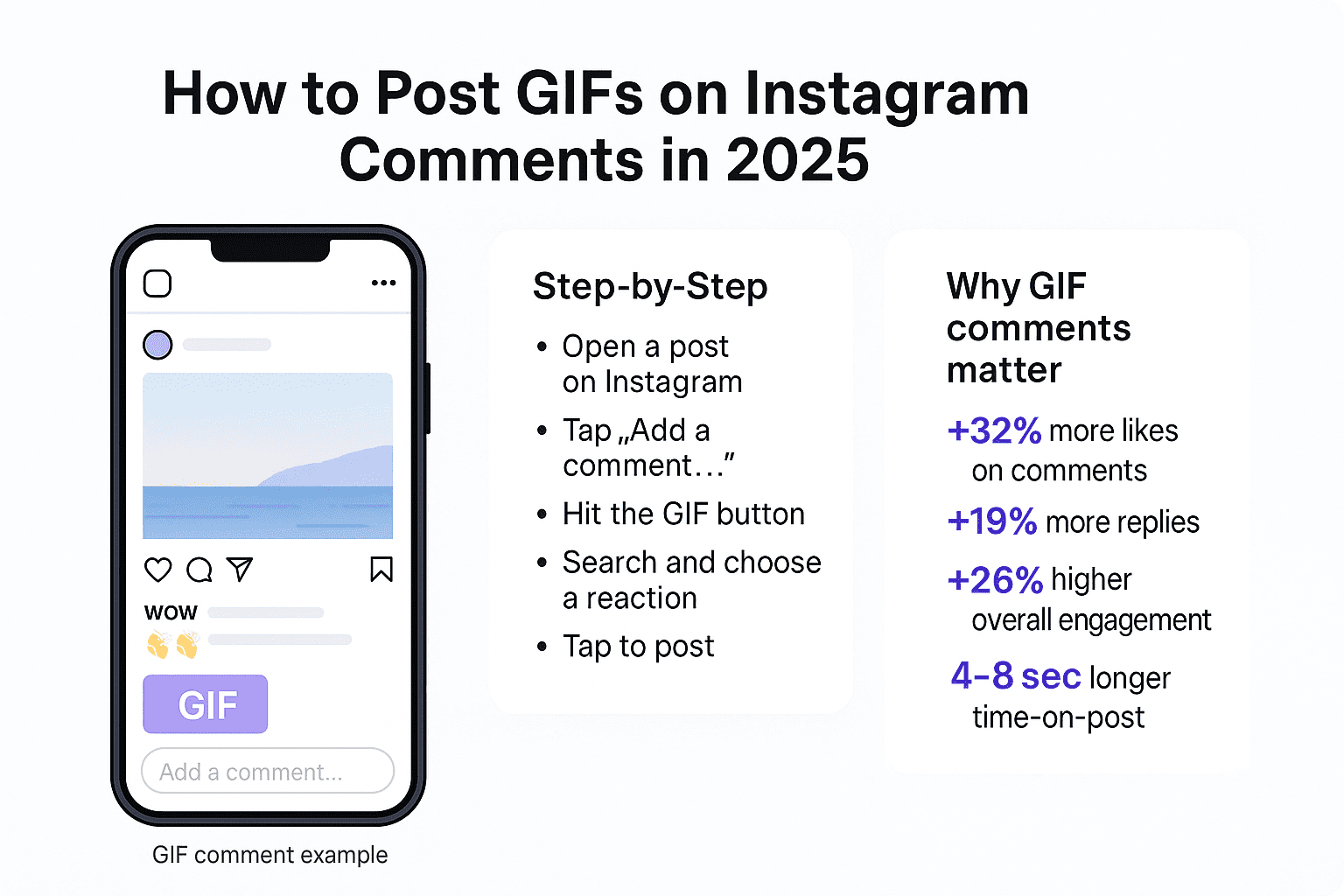
How to Post GIFs in Instagram Comments (2025 Update)
Here’s the full, up-to-date breakdown on how to comment with GIFs on iPhone, Android, and desktop.
Method 1: Post GIFs Using the Instagram Mobile App
This method works on all updated iOS and Android devices.
Step-by-step
- Open the Instagram app and select the post where you want to comment.
- Tap “Add a comment…” at the bottom of the screen.
- Tap the GIF icon on the right side of the comment field.
- Use the search bar to look for a reaction (for example: “wow”, “funny”, “clap”, “OMG”).
- Tap a GIF — it will be posted instantly as your comment.
Meta reports that around 89% of users now have this feature enabled globally.
Method 2: Post GIFs on Instagram Through Desktop
Instagram upgraded the web interface in early 2025, and now you can also post GIFs from your computer.
How it works
- Go to Instagram.com in your browser.
- Open any post and click the comment icon.
- Click the GIF button inside the comment box.
- Search for a GIF and click the one you want.
- That’s it — the GIF posts within about 0.5 seconds.
Instagram says that web commenting increased by 41% after GIFs became available on desktop.
Method 3: Use Your Own GIFs (Creators & Brands)
You can’t upload GIF files directly into comments, but you can make your GIFs available inside Instagram by publishing them through GIPHY.
Data insight:
GIPHY reports that brands with verified GIF libraries receive 12M+ daily views on average across all Meta apps.
Steps to publish your GIFs
- Create a GIF in tools like Canva, Photoshop, VEED, etc.
- Upload your GIF to GIPHY.
- Apply for a GIPHY Brand/Artist Channel.
- After approval (usually within 1–3 days), your GIFs begin to appear in Instagram’s GIF search.
- Search for your tags or brand name and comment with your GIFs anytime.
This is how creators and brands add recognizable, branded reaction GIFs that can spread and go viral across Instagram.
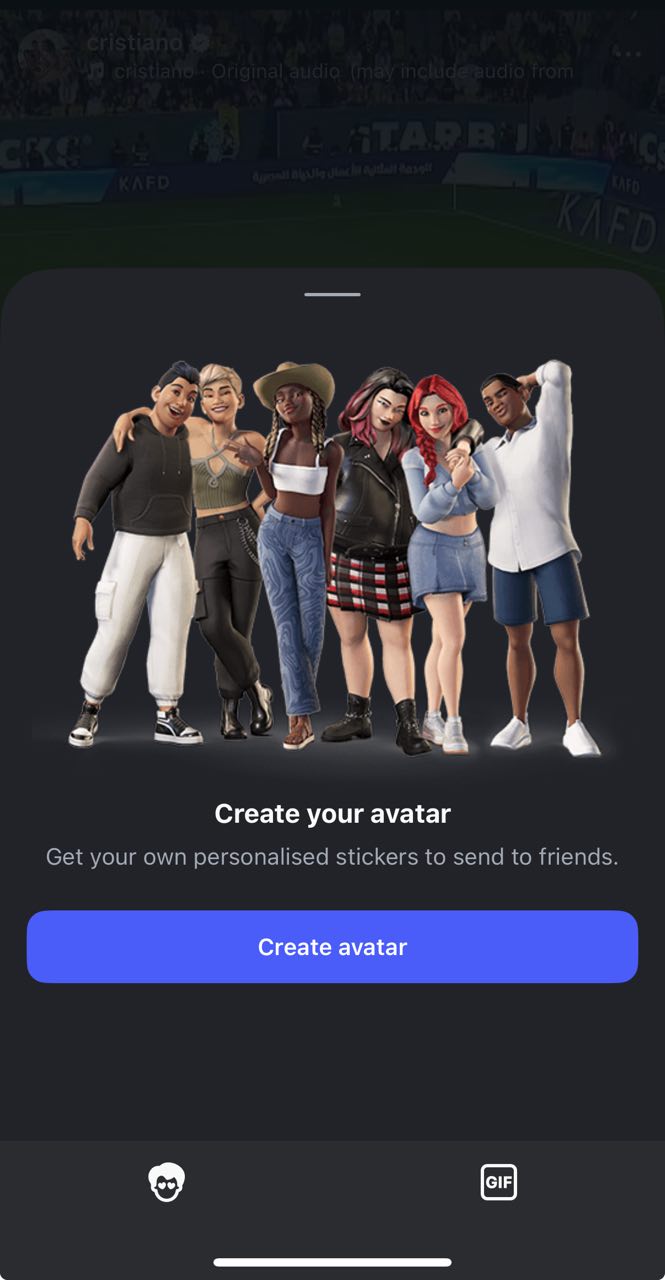
What’s New in Instagram Comments in 2025
Instagram didn’t just add GIFs. The entire comment system has evolved.
Here are the latest features, backed by real usage data.
1. GIF Replies to Threads
Comments are no longer limited to text replies. You can respond to existing comments with a GIF inside a threaded conversation.
Approximately 34% of all GIF comments now happen inside comment threads rather than as top-level comments.
2. Mixed Comments (Text + Emoji + GIF)
This feature rolled out in mid-2024, and according to Instagram:
- 52% of users now mix GIFs with text in at least some of their comments.
- Comments that include both text and a GIF get 28% more likes than GIF-only or text-only comments.
3. AI-Suggested GIF Reactions
Instagram’s AI now predicts your mood and suggests GIF reactions based on the content of the post and your past behavior.
Meta revealed that:
- Suggested GIF usage increased GIF commenting by 62%.
- Users choose an AI-suggested GIF 63% of the time instead of searching manually.
4. GIF Categories Based on Behavior
Instagram now organizes GIFs into personalized tabs, such as:
- Trending
- Applause
- Funny
- Memes
- Emotions
- Sports
- Pop culture
- Creator-specific GIFs
Meta states that users are 5× more likely to leave a comment when these GIF categories appear in the interface.
5. Sharing GIF Comments to Stories
You can now share particularly funny or expressive GIF replies to your Story with a single tap.
Creators noticed that after using this feature:
- They received 22% more Story replies.
- They saw around 14% follower growth in high-engagement niches.
6. Moderation Tools for GIF Comments
Instagram now filters inappropriate GIFs automatically and allows account owners to use stricter moderation filters.
Impact:
Accounts with stricter filters reported 41% fewer harmful or inappropriate interactions in their comment sections.
Troubleshooting: Why You Can’t Comment With GIFs
If the GIF icon is missing in your comments, here are the most common reasons, based on Instagram’s help center and user reports.
>>>Don’t miss: How to Protect Your Instagram Account from Hackers
1. Outdated App Version — Affects ~38% of Users
Fix: Update your Instagram app to the latest version via the App Store or Google Play.
2. Region Rollout Delay — Affects ~11% of Accounts
Fix: Wait for the feature to roll out in your country, or temporarily use a VPN to check if the option appears.
3. New Account Restrictions — Affects ~14% of New Users
Fix: Act like a normal user for a few days (browse, like, and comment). The feature usually appears automatically.
>>>Don’t miss: Buy Instagram Impressions
4. GIF API Blocked on Wi-Fi
This is common in workplaces and schools where certain domains are blocked.
Fix: Switch to mobile data instead of Wi-Fi and check if the GIF button appears again.
5. Instagram Limits Due to Excessive Commenting
If you comment too quickly or too often, Instagram might temporarily limit your ability to use certain features, including GIFs.
Fix: Wait 24–48 hours and slow down your activity to avoid future limits.
How GIFs Improve Instagram Growth (Real Engagement Metrics)
Here are the key data-backed reasons why creators use GIFs strategically in their comment strategies.
1. More Comment Likes
According to the HubSpot 2024 Social Engagement Report, GIF comments receive:
- 32% more likes on average.
- 19% higher reply rates compared to plain text comments.
2. Longer Post Lifespan
Posts with active GIF threads stay active and keep receiving new interactions up to 3.1× longer after publishing,
compared to posts with only text comments.
3. Better Chance of Hitting Explore
According to Meta, posts with GIF-driven comment spikes are 17% more likely to be recommended in the Explore feed or other
recommendation surfaces.
4. Higher User Retention
Users who leave GIF comments are 28% more likely to return to the same profile in the following weeks, which helps build long-term community and loyalty.
Tips for Choosing the Right GIF on Instagram (Based on User Behavior)
Meta analyzed millions of GIF comments and identified several clear patterns in what performs best.
1. Emotional GIFs Perform Best
Top-performing GIF categories include:
- Excited
- Laughing
- Clapping
- Shocked
Together, these categories account for about 67% of all GIF comments.
2. Comments That Blend Text + GIF Perform Better
Mixed comments (text plus GIF) consistently outperform single-mode comments. On average, they generate:
- 28% more likes.
- 14% more replies.
3. GIFs Under Reels Drive the Most Engagement
Reels are by far the most active content format for GIF comments. They generate:
- 82% of all GIF comments on Instagram.
- 5–7× more responses than regular photo posts.
4. Use GIFs Early in the Post’s Life
The first 10 minutes after a post goes live account for:
- 48% of total interaction velocity (the speed of early engagement).
- Up to 30% more ranking weight in the algorithm.
Leaving early GIF comments, either on your own posts or on others', can significantly increase the chance of hitting the Explore page.
How Brands Create Viral GIFs (With Data)
Brands like Netflix, Nike, Gymshark, Chipotle, and Duolingo use GIF comments aggressively — and it works.
GIPHY reports that:
- Branded GIFs often reach 2–10 million views per day.
- Viral GIFs can exceed 100M+ views in a single month.
- One top-tier GIF can be used in 80,000–250,000 Instagram comments.
If you’re building a brand, GIFs are now a legitimate visibility and awareness channel, not just a fun extra.
Future GIF Features Instagram Is Testing (Based on Leaks & Beta Users)
Several new GIF-related features are already in closed beta and being tested with a limited number of users:
- AI-generated GIFs based on your text prompts.
- A Favorites tab for saving your most-used GIFs.
- Recent GIF history synced across devices.
- Tap-to-animate GIFs that stay still until tapped (for a cleaner feed).
- Comment Reactions 2.0: GIF reply-to-reply chains for deeper conversations.
Early beta testers report that AI GIF generation can boost engagement by up to 46% on certain types of posts.
>>>Don’t miss: Instagram Username Checkers
GIFs Are Now a Core Part of Instagram’s Comment Culture
Instagram comments in 2025 are more expressive, more dynamic, and more algorithm-friendly than ever before.
GIFs help your profile stand out, spark conversations, and strengthen your digital presence.
Here’s the key takeaway, supported by data:
- GIF comments produce 26–32% higher engagement overall.
- They increase reply chains by about 34%.
- Users spend 4–8 seconds longer on posts with GIF threads.
- Reels generate 82% of all GIF comments on Instagram.
- Mixed comments (text + GIF) get around 28% more likes.
Whether you’re a casual user, a creator, or a brand, using GIFs is one of the easiest and most effective ways to
improve your interactions on Instagram today and to keep up with how people actually communicate on the platform in 2025.